

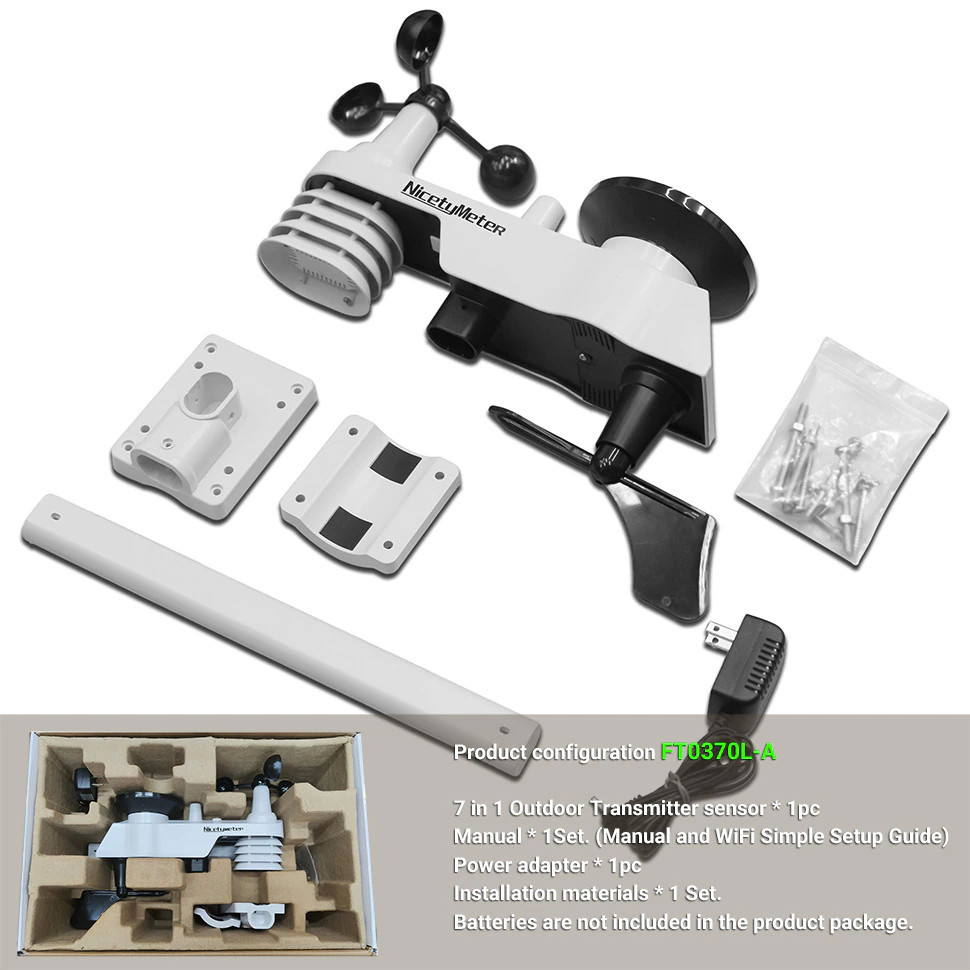
0370L Weather Station LoRa Wi-Fi Connection Temperature Humidity Wind Speed/Direction UV Rainfall
Call for Price
NicetyMeter 0370L Weather Station LoRa Wi-Fi Connection to Weather Underground Temperature Humidity Wind Speed/Direction UV Rainfall Range 4920ft
Description

DIGITAL DISPLAY CONSOLE: The weather station console’s 7.3″ color screen displays all important features, including indoor and outdoor temperature and humidity, solar radiation, ultraviolet value, precipitation, and wind speed and direction, and provide weather forecasts and moon phases.The weather station can be conveniently placed anywhere, such as on a desk in a bedroom, living room, green house.

Professional Lora WiFi Weather Station,Integrated Outdoor Sensor Wireless Transmit
Range (in open air): 4920ft
(1500m)
Integrated Outdoor Sensor Frequency: 915MHz
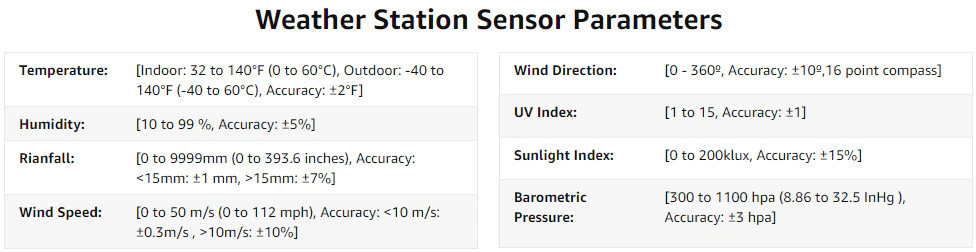
 7 IN 1 OUTDOOR TRANSMITTER: The wireless instrument includes Min/Max records of the rain gauge, wind speed meter, wind vane, ultraviolet meter, Pyranometer, outdoor temperature/ humidity gauge that can transmit up to 300ft in an open field of farm or backyard. Power on with 3 AA batteries (not included) with backup solar power, and update every 16 seconds.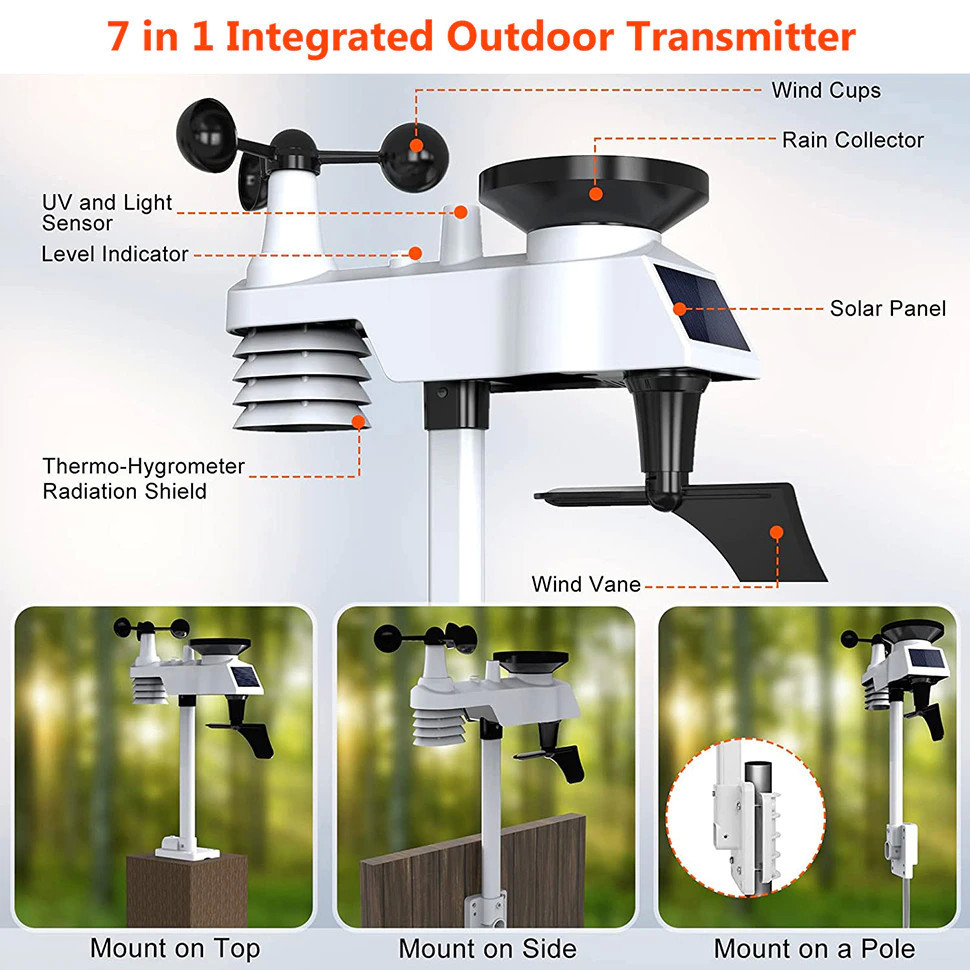
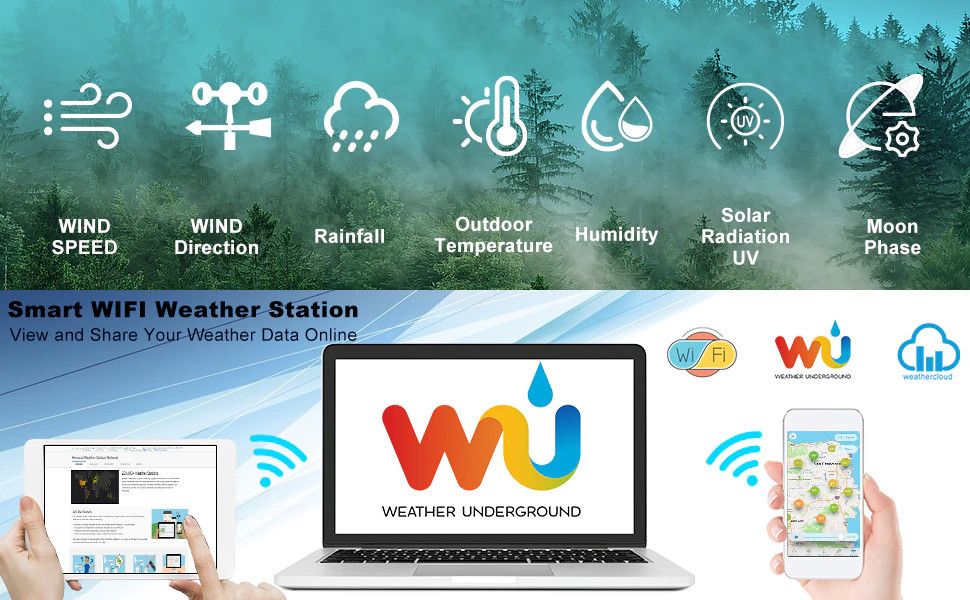
WIFI + WEATHER UNDERGROUND + WEATHER CLOUD: You can wirelessly transmit weather station data to Weather Underground, the world’s largest network of personal weather stations, and view real-time weather conditions, historical data and warnings on your smartphone with the advanced Wi-Fi connectivity option. Connect to WU (Weather Underground) or Weather Cloud. WU allows you to view, store, analyse, share and compare data from your local personal weather station.
 Weather Station WiFi Connection Tips
- Ensure that the console is plugged into AC power. The console will not connect to WiFi when powered by batteries.
- View WiFi symbol on the display. If WiFi connectivity is successful the WiFi icon will be displayed all the time.
Ensure that your modem WiFi settings are correct (network name, and password), and Confirm your station ID and key is correct.

ADJUSTABLE BACKLIGHT
The backlight is adjustable in three brightness levels, adapting to the different environments of day and night. To save power, the backlight will turn off within a few seconds of being switched on, or it can be switched on permanently by setting it to suit your needs.

 Weather Station Setting Procedure
Power Up Whole Set
Firstly: Insert 3 AA batteries into the integrated outdoor sensors, LED flash 4 seconds and updates weather data every 16 seconds (Press the white LED button to reset wireless sensor array).
Secondly: Power on the wireless thermo-hygrometer sensor with 2 AAA batteries, LED flash 4 seconds and updates temp and humidity data every 60 seconds.
Last: Connect the indoor console with 5.9V DC Adapter, wait a few minutes and all data will update in the display (Don’t Touch Any Button). 3 AAA batteries installing can save the console button setting when powered off.
Warm Tips (Outdoor Integrated Sensors)
1. Tip the Integrated outdoor sensor back and forth several times to verify the rain gauge is not reading 0.00.
2. Rotate the wind cups manually or with a constant speed fan to verify the wind speed is not reading 0.0.
3. Verify the indoor and outdoor temperature or humidity match closely with the console and sensor array in the same location. Allow about 30 minutes for both readings to stabilize.
Product configuration
We divide the product into 2 parts for better shipment.
Please buy the complete products by placing order for both the indoor display console , and the outdoor sensors.
You must be logged in to post a review.
Related products
-

FT0366 RF Weather Station
$169.00 Add to cart Quick ViewFT0366 RF Weather Station
FT-0366-RF Wireless Weather Station (NO WIFI Function)
1. Wireless weather station with 5-in-1 outdoor sensor and colour display.
2. Temperature and humidity (indoor/outdoor), air pressure.
3. Measures the wind speed, wind direction and precipitation.
4. Weather forecast; min/max memory.$169.00 -

0206 Wireless Digital Rain Gauge with Self-Emptying Collector 3-in-1 Weather Station Rainfall History Alerts Thermometer & Hygrometer
Call for Price Add to cart Quick View -

0371 Weather Station WiFi Weather Station 7 in 1 Outdoor Sensor Weather Forecast Base With Air Quality and Co2 Monitor
Call for Price Add to cart Quick View0371 Weather Station WiFi Weather Station 7 in 1 Outdoor Sensor Weather Forecast Base With Air Quality and Co2 Monitor
NicetyMeter 0370L Weather Station LoRa Wi-Fi Connection to Weather Underground Temperature Humidity Wind Speed/Direction UV Rainfall Range 4920ft
Call for Price -
FT0366 WiFi Weather Station
$179.00 Add to cart Quick ViewFT0366 WiFi Weather Station
Model Number: FT0366
Color: Black
Feature: Measure Ambient Weather
Application: Outdoor
Keywords: Color WiFi Weather Station
Warranty: 1 year
Certification: CE, FCC$179.00
Reviews
There are no reviews yet.